

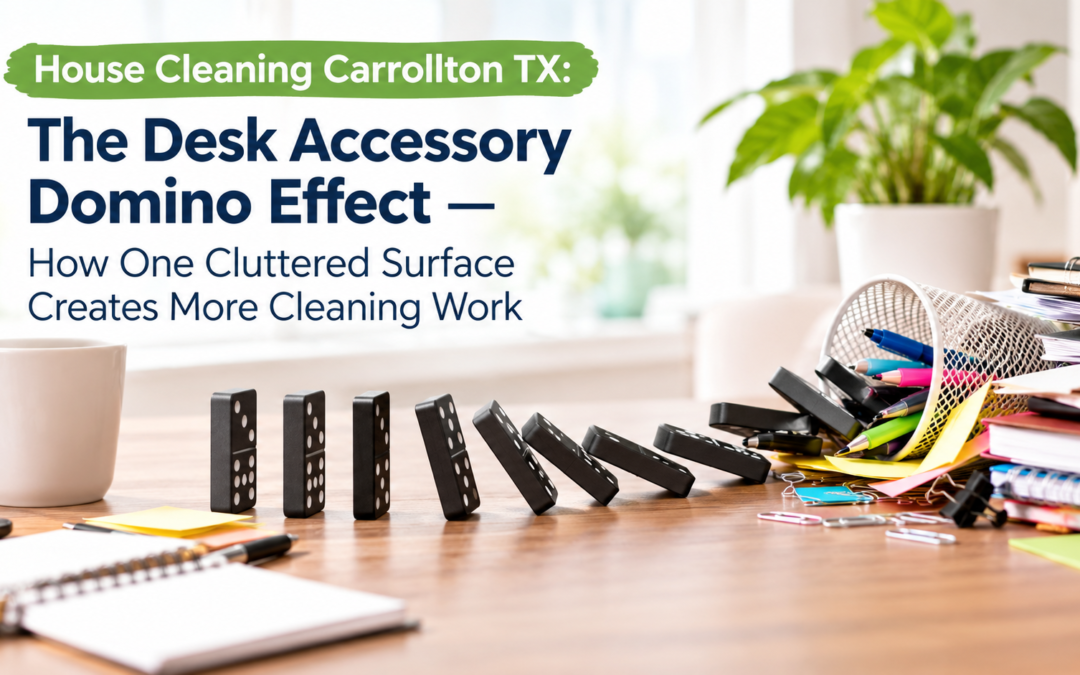
A desk can look organized at first glance and still be surprisingly difficult to keep clean. Charging stands, docking stations, pen holders, phone cradles, cable organizers, desk lamps, and decorative accessories may each serve a useful purpose, but together they create a network of small obstacles that makes dusting slower and less effective. With professional House Cleaning Carrollton TX, homeowners and office workers can better understand how everyday desk clutter contributes to dust buildup and how a few simple changes can make cleaning easier.
The problem is not necessarily the number of items on a desk. It is how those items interact with one another and with the surface underneath them. A single charging stand may take only seconds to move, but several accessories arranged closely together can turn a quick wipe into a series of small cleaning tasks. Dust collects between the objects, around their bases, beneath cords, and along the narrow spaces that cleaning cloths struggle to reach.
Over time, these neglected areas can make an otherwise tidy workspace feel dusty and uncomfortable. The solution does not always require throwing away accessories or completely redesigning a desk. Instead, understanding the desk accessory domino effect can help you organize your workspace, reduce unnecessary obstacles, and create a more efficient cleaning routine.
What Is the Desk Accessory Domino Effect?
The desk accessory domino effect describes how one small item can create additional cleaning work by making nearby surfaces harder to access. A docking station occupies space, its cables cross the desk, a cable organizer keeps those wires in place, and a phone stand sits beside everything else. Each item creates another edge, gap, or surface where dust can settle.
When accessories are grouped closely together, cleaning becomes less straightforward. Instead of wiping a clear tabletop in one continuous motion, you must navigate around objects, lift smaller items, work between cables, and return everything to its original position.
This process becomes even more time-consuming when the desk contains items that are rarely moved, such as charging hubs, monitor stands, stationery containers, external drives, and decorative pieces.
Reliable Carrollton cleaning services recognize that clutter can affect not only the appearance of a workspace but also the time required to maintain it. A clear surface allows a cleaning cloth to move freely, while a crowded one demands more attention to detail.
Why Small Accessories Create a Bigger Problem
A single accessory rarely causes a major cleaning challenge. The difficulty develops when several items compete for the same limited space.
Consider a typical home office desk. It may contain:
- A laptop docking station with multiple connected cables.
- A phone charging stand and wireless charging pad.
- A pen cup filled with writing tools.
- A small organizer holding sticky notes, clips, and USB drives.
- A desk lamp with a heavy base.
- A decorative plant or picture frame.
- Headphones, adapters, and spare charging cords.
Each object has a footprint that prevents direct access to part of the desk. Objects with raised bases may also create narrow gaps underneath them, while cables form additional boundaries that trap dust and interfere with wiping.
A dependable maid service Carrollton TX residents choose should account for accessible surfaces and everyday clutter when establishing an effective cleaning routine. Organizing these objects before cleaning can make a noticeable difference in how easily dust is removed.
How Docking Stations and Charging Stands Interrupt Dusting
Docking stations and charging stands are useful because they keep electronic devices connected and ready for use. However, their placement can create several small cleaning obstacles.
Docking Stations Create Hidden Dust Zones
A docking station often sits near the back of a desk, where it connects to monitors, keyboards, external drives, and other equipment. Its base may be surrounded by cables, leaving little room for a cloth to reach the surface underneath.
Dust can collect around the station’s edges and between connected wires. If the station remains in the same position for months, the tabletop beneath it may develop a visible outline of accumulated dust.
The problem becomes more noticeable when the docking station is positioned beside a monitor stand or another large accessory. These objects create overlapping areas that are difficult to access without moving equipment.
When planning house cleaning Carrollton Texas, consider which accessories can safely be moved and which should remain connected. Electronic equipment should never be pulled by its cables or shifted in a way that risks damaging connectors.
Charging Stands Create Tight Spaces
Phone and tablet charging stands often have narrow bases, angled supports, and connected cords. Although they take up little room, their shapes can make dusting awkward.
A cloth may glide around the base but fail to reach the small area directly behind the stand. If the stand is placed against another accessory, the gap becomes even harder to clean.
Wireless charging pads present a similar challenge. Their flat surfaces collect dust themselves, while the tabletop underneath can remain neglected because the pads are rarely lifted.
A simple solution is to establish a designated charging area with enough space to move each accessory safely. Keeping the area separate from stationery and decorative items prevents small objects from accumulating around charging equipment.
Cable Organizers Can Add More Edges
Cable organizers are designed to control loose wires, but they can also introduce additional surfaces and narrow spaces. Clips attached to the desk, cable trays, and adhesive wire holders may collect dust along their edges.
This does not mean cable organizers should be avoided. They often improve workspace safety and reduce tangling. The important consideration is choosing a layout that keeps cables controlled without making the tabletop difficult to reach.
A professional cleaning company Carrollton TX homeowners and businesses hire can help maintain accessible surfaces, while users can simplify the arrangement by grouping cables and removing unnecessary adapters.
The Domino Effect of Desk Organizers and Decorative Accessories
Electronics are only part of the problem. Stationery containers, storage trays, desk organizers, and decorations can create similar obstacles.
Pen Holders and Small Storage Containers
Pen cups and organizers frequently contain many small items, making them awkward to move and clean around. Their bases may accumulate dust, while the items inside can collect particles on exposed surfaces.
A crowded organizer can also encourage miscellaneous objects to spread across the desk. Paper clips, sticky notes, spare batteries, and other supplies may gradually occupy the remaining open space.
Instead of keeping every small item on the tabletop, store infrequently used supplies in drawers or closed containers. Leave only the tools you regularly need within reach.
This approach is especially useful for maintaining an organized home office without sacrificing convenience.
Decorative Objects and Desk Plants
Picture frames, figurines, artificial plants, and decorative containers can make a workspace feel personal. However, objects with intricate shapes, textured surfaces, and multiple edges often require more detailed dusting.
Small decorative items placed between electronics may also make it difficult to remove dust from the surrounding tabletop.
For a simpler routine, group decorations in one designated area rather than distributing them throughout the desk. This allows the rest of the surface to remain accessible.
Homeowners scheduling residential cleaning Carrollton services can also benefit from reducing the number of small objects that need to be moved during routine maintenance.
Monitor Stands and Raised Platforms
Monitor stands, laptop risers, and desk shelves create extra levels where dust can settle. Their undersides and supporting legs may be overlooked because they are not immediately visible.
When several stands overlap with charging stations and organizers, the desk begins to resemble a collection of separate compartments rather than one continuous surface.
Choose stands that provide sufficient clearance for cleaning and avoid stacking accessories unnecessarily. If a stand is heavy or connected to equipment, follow the manufacturer’s instructions before moving it.
Why Dust Accumulates Around Desk Accessories
Understanding how dust behaves can explain why crowded desks often become difficult to maintain.
Dust Collects Along Edges and Bases
Household dust is a mixture of particles that may include textile fibers, shed skin cells, soil, pollen, and other environmental material. These particles settle on surfaces and can collect along edges where air movement and routine wiping are limited.
The base of a phone stand, the corners of a storage tray, and the narrow space beside a docking station can all become small collection points.
Because these areas are partially concealed, dust may remain undisturbed longer than it would on an open tabletop.
Cables Interrupt Cleaning Cloths
A cleaning cloth works best when it can move across a surface without repeated interruptions. Cables and tightly packed accessories prevent smooth movement, forcing the cleaner to lift the cloth, change direction, and work around each obstacle.
This creates opportunities for missed patches, particularly between connected devices and beneath cable bundles.
The answer is not to remove every wire. Instead, route cables along the back of the desk or through a suitable cable-management system, leaving the main working surface as open as possible.
Dusting Can Move Particles Instead of Removing Them
Quickly brushing around accessories may shift dust from one area to another without actually collecting it. A dry cloth can also redistribute particles if it is already overloaded.
Use a clean microfiber cloth and fold it into sections so a fresh surface is available as needed. Work methodically, collecting dust rather than simply pushing it toward another object.
For electronics, follow manufacturer guidance and use appropriate tools. Avoid spraying cleaning products directly onto equipment, ports, keyboards, or charging components.
A well-planned deep cleaning Carrollton TX service can address accessible buildup in neglected areas, although moving electronics and detailed equipment cleaning should be discussed beforehand.
How to Make Desk Dusting Faster and More Effective
A more efficient desk-cleaning routine starts with organization rather than scrubbing.
Step 1: Remove Unnecessary Items
Begin by identifying which objects genuinely need to remain on the desk.
Move spare cables, unused adapters, old receipts, duplicate stationery, and rarely used accessories into appropriate storage. Reducing the number of objects immediately increases the amount of accessible surface area.
You do not need a completely empty desk. The goal is to remove items that add clutter without serving a regular purpose.
Step 2: Group Similar Accessories Together
Create separate zones for electronics, writing supplies, charging equipment, and decorations.
For example, keep the docking station and charging stand in one area, while storing pens and paper supplies together in another. Grouping similar objects reduces the number of scattered items that must be moved during cleaning.
A consistent layout also makes it easier to return everything to its proper place afterward.
Step 3: Unplug Equipment Only When Appropriate
Some accessories can be lifted safely without disconnecting anything, while others may need to be unplugged before they can be moved.
Follow the manufacturer’s instructions and shut down equipment when necessary. Never pull devices by their cords, force tight connectors, or move equipment that is difficult to handle safely.
If a device is heavy, mounted, or connected to a complicated setup, clean around it or ask a qualified person to assist.
Step 4: Dust From the Back Toward the Front
Start with the back edge of the desk and work toward the front. This makes it easier to remove dust from less accessible areas before cleaning the main working surface.
Use a soft microfiber cloth to dust accessible accessories and the tabletop. Pay attention to corners, the bases of stands, and the spaces between objects.
Avoid pushing dust into computer vents or other openings. Electronic components require suitable cleaning methods rather than ordinary household wiping.
Step 5: Clean the Surface Beneath Accessories
Lift movable accessories when it is safe to do so, clean the exposed tabletop, and return the items to their designated positions.
This is one of the most important steps because dust frequently accumulates beneath objects that rarely move.
For a consistent routine, clean the desk in sections instead of trying to move everything at once. This reduces the risk of misplaced accessories and tangled cables.
Step 6: Finish With the Frequently Touched Items
Once the tabletop is clean, wipe appropriate exterior surfaces such as organizer bases and desk accessories. Follow product instructions for screens, keyboards, charging pads, and other electronics.
Avoid using general-purpose sprays on delicate devices unless the manufacturer specifically permits them.
This final pass helps ensure that cleaning the desk does not leave dust on the objects that were just returned to it.
Desk Organization Habits That Prevent Future Buildup
The easiest desk to clean is one that stays reasonably organized between cleaning sessions.
Follow the One-Touch Rule
Whenever practical, return an item to its designated place after using it rather than leaving it on the desk temporarily.
A spare charging cable, a notebook, or a handful of paper clips may seem insignificant, but several items left behind each day can gradually crowd the surface.
A quick end-of-day reset keeps the desk ready for both work and cleaning.
Use Storage That Reduces Surface Clutter
Drawers, closed containers, and appropriately sized organizers can keep small supplies together. Select storage that is easy to wipe and does not introduce unnecessary compartments.
The objective is to reduce scattered items without creating an entirely new collection of containers that must be dusted.
Establish a Weekly Desk Reset
Set aside a few minutes each week to remove unnecessary items, organize cables, and dust the accessible surfaces.
For busy households, recurring cleaning Carrollton services can help maintain shared spaces and reduce the burden of routine housekeeping. A regular schedule is particularly useful when a home office doubles as a study area, craft station, or family workstation.
If daily use makes the desk especially dusty, a quick personal wipe between professional cleaning appointments can help maintain the results.
How the Desk Accessory Domino Effect Affects Offices and Commercial Spaces
The same problem occurs in professional environments, where desks may contain monitors, docking stations, desk phones, charging equipment, stationery, and personal decorations.
In a shared office, the amount of clutter can vary significantly from one workstation to another. A desk with an open layout may be easy to maintain, while a crowded station may require additional time to clean around its accessories.
This is relevant when arranging office cleaning Carrollton TX because a cleaner’s ability to access the surface directly affects the consistency of routine dust removal.
Businesses should establish practical expectations for desk preparation, including how personal items and electronics should be handled. Cleaning staff should not be expected to disconnect unfamiliar equipment or move sensitive documents without permission.
For larger workplaces, commercial cleaning Carrollton services can help maintain common areas, workstations, meeting rooms, and other frequently used spaces according to the agreed-upon scope of work.
Organizations that have recently renovated or installed new furniture may also need post construction cleaning Carrollton to address construction dust and residue. That work differs from ordinary desk maintenance and may require specialized procedures.
Other services, such as carpet cleaning Carrollton TX, address dust and debris embedded in flooring. Keeping floors and desk surfaces clean together can support a more consistently maintained workspace.
When Professional Cleaning Makes Sense
Organizing a desk and dusting regularly can resolve many everyday problems, but busy households and offices may benefit from professional assistance.
A professional cleaner can help maintain accessible surfaces, remove routine dust, and identify neglected areas that contribute to a cluttered appearance. However, electronics, delicate equipment, valuable documents, and heavily congested workstations require clear handling instructions.
If you are comparing professional cleaners Carrollton, ask how the service handles occupied desks, personal belongings, and electronic equipment. Confirm whether staff can clean beneath movable accessories and whether desk organization or detailed item-by-item dusting is included.
Homeowners preparing for a change of residence may need move out cleaning Carrollton or move in cleaning Carrollton TX to address the broader property. Renters can explore apartment cleaning Carrollton, while businesses may need a recurring schedule designed around their operating hours.
The appropriate service depends on the property’s size, the amount of clutter, and the level of cleaning required.
For households seeking affordable maid service Carrollton, compare what each service includes instead of considering price alone. A provider that clearly explains its scope and limitations can help you decide whether routine maintenance or a more detailed cleaning appointment is appropriate.
When researching the top cleaning company Carrollton Texas, look for transparent communication, dependable scheduling, and careful treatment of personal belongings.
If you need a quick appointment, ask whether same day cleaning Carrollton TX is available. Scheduling depends on the provider’s workload and the type of service requested.
Households that prefer lower-impact products can explore eco friendly cleaning Carrollton options and confirm that the selected products are suitable for the surfaces involved.
Ultimately, reliable house cleaning services in Carrollton TX, a professional maid service near Carrollton Texas, or trusted home cleaners in Carrollton Texas should be selected according to your household’s needs, the services offered, and the care taken with your belongings.
Conclusion: Make House Cleaning Carrollton TX Easier by Clearing the Surface
The desk accessory domino effect shows how a collection of useful objects can turn one simple cleaning task into several smaller ones. Docking stations, charging stands, organizers, cable clips, and decorative accessories all create edges and gaps where dust can settle. When these items crowd a desk, they interrupt efficient dusting and make hidden buildup more likely.
With thoughtful House Cleaning Carrollton TX, homeowners and businesses can take a more organized approach to desk maintenance. Grouping accessories, controlling cables, removing unnecessary items, and cleaning beneath movable objects can make routine dusting faster and more effective.
The most practical solution is not to eliminate everything from your desk. It is to create a layout that supports both productivity and cleanliness. Keep frequently used items accessible, store extras elsewhere, and establish a regular cleaning schedule.
A tidy desk is easier to maintain when its organization makes cleaning possible rather than more complicated. By reducing unnecessary obstacles and paying attention to the spaces that are often overlooked, you can enjoy a cleaner, more comfortable workspace without adding hours to your routine.
Contact us at 972–254–8858 or visit https://dustbunniesinc.net/carrollton/ to book your service.